

How to Keep a Garden Journal (and Why You Should)
A few of the product links in this guide are affiliate links. If you buy through one, Ambitious Harvest may earn a small commission at no extra cost to you, which helps keep these guides free. We only point to gear we would use in our own Santa Cruz garden. As an Amazon Associate, we earn from qualifying purchases. Read our full disclosure.
Why Should Every Santa Cruz Gardener Keep a Garden Journal?
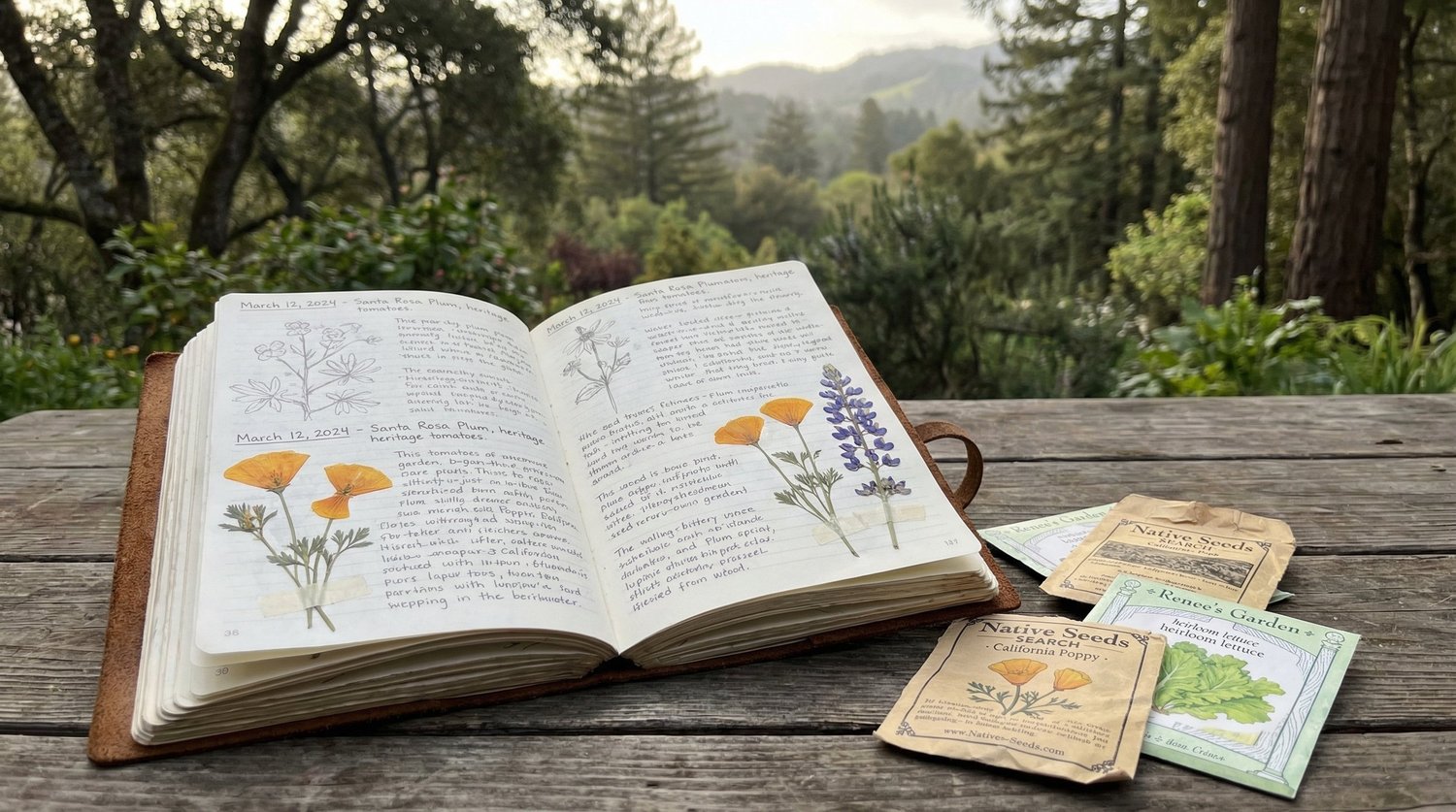
A garden journal records what you plant, when you plant it, what happens during the season, and what you harvest. Over time, those records help you compare varieties, planting dates, weather, pest timing, and results in your own microclimate. The value is practical and observational; this article should not promise measurable yield improvements or a two-to-three-year outcome without a specific study that supports those claims.
The Central Coast is full of variables that make gardening both rewarding and unpredictable. Fog patterns, wind exposure, soil type, and elevation all influence what grows well and when. A neighbor half a mile away may have completely different results with the same tomato variety because their yard gets more afternoon sun or less morning fog. Your garden journal captures these hyper-local patterns and transforms them into actionable knowledge that improves your growing decisions year after year.
What Should You Track in a Garden Journal?
The most useful garden journals record specific, measurable information rather than vague impressions. Here is what experienced Santa Cruz County gardeners recommend tracking.
Planting dates and locations. Record exactly when and where you plant each crop. Note whether you started from seed or transplant, the variety name, and the source (nursery, seed company, saved seed). This information becomes invaluable when you look back to compare performance across seasons. In Santa Cruz, planting dates can vary by two to four weeks from year to year depending on weather patterns, so recording when you actually planted (not when the calendar said to) captures real-world timing.
Variety names and performance. "Tomato" is not enough detail. Record the specific variety: 'Sungold,' 'Early Girl,' 'Cherokee Purple.' Over several seasons, you will build a personal database of which varieties perform best in your specific microclimate. A gardener in Bonny Doon may find that 'Stupice' tomatoes outperform 'Brandywine' because they ripen faster in cooler conditions, while a Watsonville gardener might have the opposite experience.
Weather observations. Note unusual weather events: late rains, early heat waves, heavy fog periods, frost dates, and wind events. Santa Cruz County's weather can be highly variable from year to year, and these notes help you understand why a particular season was exceptionally good or disappointing. Over several years, weather observations reveal patterns that inform your planting timing.
First and last frost dates. Record your yard's actual frost dates, not the regional averages. Coastal Santa Cruz neighborhoods may go years without frost, while gardens in the San Lorenzo Valley or Santa Cruz Mountains experience frost regularly. Your personal frost record is far more useful than zone maps for planning planting schedules.
Harvest dates and quantities. When did you pick your first tomato? How many pounds of zucchini did you harvest? When did production trail off? This information helps you plan quantities for the following year. If three zucchini plants produced more than your family could eat last summer, your journal reminds you to plant two this year.
Pest and disease observations. Record what pests appeared, when they showed up, and what you did about them. Over several seasons, you will notice patterns: aphids arriving in May, powdery mildew appearing when coastal fog increases in September, or slugs being worse in years with early fall rain. These patterns let you take preventive action before problems develop.
Soil amendments and fertilizing. Track what you added to the soil and when. Compost applications, fertilizer types and rates, lime or sulfur amendments, and mulch additions all go in the journal. This prevents the common problem of not remembering whether you already amended a bed or guessing at how much fertilizer you used last time.
Irrigation notes. How often did you water during July? Did you change your drip system timing in August? Recording watering patterns helps you fine-tune irrigation from year to year. In Santa Cruz County, where water conservation is always relevant, tracking irrigation helps you find the minimum effective watering schedule.
What Journal Format Works Best?
The best journal format is the one you will actually use consistently. Fancy systems that you abandon by June are less valuable than a simple notebook you write in every week. Here are the main options, with an assessment of each.
Paper notebook. A physical notebook is the most popular format among long-term gardeners. It requires no technology, works in the garden with dirty hands, and feels satisfying to fill. The disadvantage is that searching through years of notes for a specific entry can be slow.
Three-ring binder. A binder with tabbed dividers allows you to organize by crop, month, or garden area. You can add printed templates, seed packet labels, and photo printouts. The flexibility to rearrange and insert pages makes this a very practical format.
Calendar-based journal. A large wall or desk calendar provides a natural framework for daily or weekly entries. Write brief notes on each day and transfer important observations to a seasonal summary page at the end of each month.
Spreadsheet. A digital spreadsheet allows for sorting, filtering, and searching your records easily. Create columns for date, crop, variety, bed location, action taken, and observations. The disadvantage is that a spreadsheet is less convenient for quick garden notes than a physical notebook.
Dedicated gardening apps. Several smartphone apps offer features like photo tagging, planting reminders, and weather integration. The convenience is significant, but apps can be discontinued, potentially losing your data. If you use an app, export your records periodically.
Photo journal. Taking a photo of your garden from the same spot each week creates a visual record that captures information words might miss. Pair photos with brief text notes for a journal that is both informative and enjoyable to review.
Many experienced gardeners use a combination: a paper notebook for in-the-garden notes, a phone for photos, and a spreadsheet for end-of-season data compilation.
What Santa Cruz-Specific Observations Should You Record?
Santa Cruz County has growing conditions unlike anywhere else in the country. Your journal should capture the local factors that most influence garden performance here.
Fog patterns. Coastal fog affects temperature, light, and moisture in ways that dramatically influence crop performance. Note when fog is present in the morning and when it burns off. Track extended foggy periods and correlate them with plant performance. Some crops (lettuce, peas, fava beans) thrive in foggy conditions, while others (tomatoes, peppers, melons) struggle when fog persists past midday. Over several seasons, your fog notes will help you choose varieties and adjust planting times.
Microclimate mapping. Your yard likely has distinct microclimates: warm spots against south-facing walls, cool areas under trees, windswept sections, and sheltered pockets. Sketch your yard and note these zones. Track which crops perform best where. A tomato that fails in your fog-exposed front yard might thrive against your sun-warmed back fence. This microclimate map becomes one of the most valuable pages in your journal.
Wind events. Record significant wind events and any resulting plant damage. Santa Cruz County experiences periodic strong offshore (north/northeast) winds that can desiccate plants and topple tall crops. Noting which areas of your garden are most affected helps you plan windbreak placement and choose wind-resistant varieties for exposed locations.
Rainfall and dry season timing. Record when the last significant spring rain occurs and when the first fall rain arrives. These dates vary by several weeks from year to year and affect everything from planting schedules to irrigation timing. Note total rainfall if you have a rain gauge. This data helps you predict water needs and plan fall planting more accurately.
Soil temperature. If you own a soil thermometer (inexpensive and valuable), record soil temperature at planting depth in early spring. Warm-season crops need soil temperatures of 60 to 65 degrees Fahrenheit to thrive. Coastal Santa Cruz soils warm up slower than inland soils, which affects when transplants establish successfully. Tracking soil temperature removes the guesswork from spring planting timing.
Bloom dates for indicator plants. Certain plants serve as natural phenological indicators. When your ceanothus blooms, when the California poppies open, when the first monarch butterfly appears: these natural events correlate with soil temperature and day length in ways that help predict optimal planting times. Recording these observations connects your gardening to the broader seasonal rhythms of Santa Cruz County.
Local pest timing. Note when you first spot aphids, whiteflies, cabbage moths, tomato hornworms, and other common pests each year. In Santa Cruz, slug and snail activity peaks during wet, mild periods. Earwigs are most active in summer. Knowing when these pests typically appear in your specific garden lets you set up barriers, introduce beneficial insects, or apply organic controls before damage becomes serious.
How Does Journaling Improve Your Garden Results Over Time?
The real power of a garden journal shows up in year two and beyond. First-year entries are the raw data. Subsequent years turn that data into wisdom.
Planting time optimization. After two or three seasons of recording planting dates alongside harvest dates and weather data, you can identify the ideal planting windows for each crop in your specific location. You might discover that tomatoes planted the second week of April consistently outperform those planted in March (because soil is warmer) and those planted in May (because they miss peak summer growth). This precision comes only from your own records.
Variety selection. Your journal reveals which varieties are winners and which are not worth repeating. After testing 'Mortgage Lifter,' 'Cherokee Purple,' and 'Brandywine' over three seasons, you might find that 'Cherokee Purple' consistently produces the best fruit in your yard while 'Brandywine' struggles with your fog exposure. Without records, you forget these details and repeat the same experiments every year.
Pest prediction. Patterns emerge in pest timing. If your journal shows that aphids appear on fava beans every March, you can introduce ladybugs in late February as a preventive measure. If powdery mildew hits your squash every September when coastal fog increases, you can apply preventive fungicide (like potassium bicarbonate) in late August. Reactive pest management becomes proactive pest prevention.
Yield planning. Harvest records help you grow the right quantities. If last year's notes show that four tomato plants produced 60 pounds of fruit (more than you could use), you know to plant three this year and add a new crop in the freed-up space. If your pea harvest ran out in May but you wanted peas through June, succession planting notes help you adjust timing.
Soil improvement tracking. Recording soil amendments and their effects reveals what your specific soil needs most. If adding lime two years ago improved brassica performance, your journal confirms that observation and prompts you to reapply. If switching from synthetic to organic fertilizer correlated with better fruit flavor, that is documented knowledge you can build on.
Confidence building. Perhaps the most underappreciated benefit of journaling is the confidence it builds. New gardeners often feel uncertain about every decision. A journal with two or three years of entries provides a personalized reference that replaces anxiety with evidence-based choices. You know what works in your garden because you recorded it.
How Do You Start a Garden Journal Without Getting Overwhelmed?
The biggest obstacle to garden journaling is trying to track too much too soon. Start simple and expand as the habit develops.
Week one: record what is currently in your garden. Walk through your garden with your journal and write down every crop, its variety (if known), its location, and its current condition. This baseline inventory takes 15 to 30 minutes and creates the foundation for all future entries.
Set a weekly check-in. Choose one day each week (Saturday morning works for many gardeners) to spend 10 minutes making journal entries. Walk the garden, note what has changed, record any planting or harvesting, and jot down weather observations for the past week. Ten minutes weekly is enough to capture the essential information. Do not aim for perfection. Partial records are infinitely more useful than no records.
Use templates. A simple template with consistent categories (date, weather, plantings, harvests, pest observations, notes) speeds up entries and ensures you capture the same types of information each week. You can create your own or find printable garden journal templates online. Templates reduce the decision fatigue of staring at a blank page.
Take photos. A quick phone photo of each bed once a week creates a visual timeline that requires almost no effort. Date-stamped photos supplement your written notes and often capture details you did not think to write down. Create a "Garden" album on your phone to keep these photos organized.
Do not back-fill obsessively. If you miss a week (or three), do not try to reconstruct everything from memory. Just start fresh with the current date and keep going. A journal with gaps is still tremendously valuable. Perfectionism about completeness kills more garden journals than laziness does.
End-of-season summary. At the end of each growing season (November or December in Santa Cruz), spend 30 minutes writing a one-page summary. What were the standout successes? What failed? What will you do differently next year? This summary becomes the most-referenced page in your journal when planning begins in January.
What Are the Best Ways to Organize Years of Garden Records?
As your journal grows across multiple seasons, organization helps you find and use the information you have collected.
Annual dividers. Clearly mark where each year begins and ends. Some gardeners use a different colored notebook for each year. Others use tabbed dividers in a binder. The goal is to quickly flip to a specific year's records when you want to compare.
Crop-specific summaries. After three or more years, create a summary page for your most important crops. Your tomato summary might list every variety you have tried, when you planted it, how it performed, and your overall ranking. These summaries distill years of observation into actionable reference pages.
Garden maps. Include a simple sketch of your garden layout for each year showing which crop grew where. This helps you plan rotations and avoid planting the same family in the same spot too frequently.
Cross-reference weather and yields. Note years that were unusually foggy, warm, wet, or dry, and look for correlations with crop performance. You might discover that your best tomato year was the warmest summer, or that lettuce production peaked during a cool, foggy June. These correlations guide future planting decisions.
How Can You Use Your Journal to Plan Next Season?
The garden journal completes its cycle when you use past records to plan future seasons. This is where the investment in record-keeping pays off most directly.
Review last year's summary in January. Before ordering seeds or planning beds, read through your end-of-season summary and notes about what you wanted to change. It is remarkable how many gardening resolutions you make in October that you have completely forgotten by February without written records.
Check planting dates. Look up when you planted each crop last year and how the timing worked out. If your journal notes that lettuce planted March 1 bolted by May while lettuce planted March 15 produced through June, you have a clear guide for this year's timing.
Rotate crops based on your map. Compare this year's planned layout with the previous two to three years' maps. Avoid placing the same crop family in spots where they grew recently. Your garden maps make rotation planning straightforward.
Order proven varieties. Your journal's variety notes tell you exactly which seeds to order. Instead of guessing or being swayed by catalog descriptions, you are making selections based on actual performance in your garden.
Set realistic goals. Multi-year records give you realistic expectations. If your garden has never produced a successful watermelon crop (a common experience in foggy coastal Santa Cruz), your journal might prompt you to try a short-season variety or grow something better suited to your conditions.
Frequently Asked Questions
How much time does garden journaling take each week?
A useful garden journal entry takes about 10 minutes per week. Walk through your garden, note changes, record any planting or harvesting, and jot down weather observations. You do not need to write paragraphs. Brief, factual notes are more useful than lengthy descriptions. A quick phone photo of each garden bed supplements the written record with minimal additional time.
What if you have never kept a garden journal before?
Start right now, regardless of the time of year. Record what is currently growing, any recent planting dates you remember, and the current condition of your garden. Going forward, make brief weekly entries. Do not try to reconstruct past seasons from memory. Your first year of records will feel incomplete, but by year two, you will already see the value of having last year's notes to reference.
Should you keep a digital or paper garden journal?
Both formats work well, and many gardeners use a combination. Paper notebooks are convenient in the garden and do not require batteries. Digital tools (spreadsheets, apps) make searching and analyzing data easier. Choose the format you will actually use consistently. If you love technology, go digital. If writing by hand helps you process information, go with paper. The medium matters less than the consistency.
What is the most important thing to record?
Planting dates, variety names, and harvest outcomes are the highest-value records. These three data points let you compare performance across seasons, choose the best varieties for your microclimate, and optimize your planting schedule. Everything else (weather, pests, amendments) is valuable but secondary. If you only track three things, track what you planted, when, and how it performed.
How do you use a garden journal during Santa Cruz's foggy summers?
Record fog patterns specifically: when morning fog burns off, how many consecutive foggy days occur, and which crops are affected. Over several seasons, your fog notes reveal which varieties tolerate extended fog cover and which need consistent sun. This information is uniquely valuable in coastal Santa Cruz and cannot be found in any gardening book written for inland climates.
Can a garden journal help with pest management?
Absolutely. Recording when pests appear each year reveals timing patterns you can anticipate. If your journal shows that aphids consistently appear on your kale in late March, you can introduce ladybugs or apply insecticidal soap preventively in mid-March. Tracking which pest management methods worked (and which did not) prevents you from wasting time and money on ineffective approaches.
What should you do with your journal at the end of the season?
Write a one-page end-of-season summary covering your biggest successes, notable failures, and specific changes you want to make next year. This summary becomes the most-referenced page in your journal. Review it before planning the next season. Store completed journals where you can access them easily, as records from two and three years ago are often the most useful for identifying long-term patterns.
Is there a garden journal template for Santa Cruz County gardeners?
While generic garden journal templates are widely available, Santa Cruz County gardeners benefit from adding categories specific to our area: fog observations, microclimate notes, coastal vs. inland comparisons, and local pest timing. Create your own template with columns for date, weather (including fog), plantings, harvests, pest observations, and general notes. Customize it after a season of use based on what information you find most valuable.
Start Your Garden Journal Today
A garden journal is the most underused tool in most gardeners' sheds. It costs almost nothing, takes minutes per week, and produces compounding returns as your records grow across seasons. In Santa Cruz County, where microclimates, fog patterns, and variable weather make gardening both fascinating and challenging, a personalized journal is more valuable than any book of general advice. Start with what you know today and build from there.
For research-based guidance on garden journaling, see UC Master Gardeners' Tips for Garden Journaling, Garden Record-Keeping resource, and A Garden Journal Can Be A Useful Tool.
Visit Your Garden Toolkit for printable planting calendars, seasonal checklists, and garden planning resources that pair perfectly with your journal practice.